Posts

Showing posts with the label Quartz Composer

Blank Mac screensaver
Image
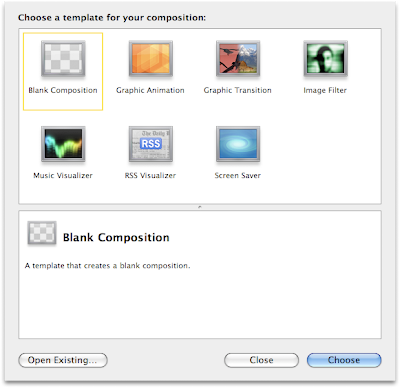
Thanks to FeedBurner , I can see how people (all two of them!) come upon my site. Frankly, the search terms are fascinating. One that has come up frequently enough is “blank mac screensaver”, and things like it. I thought this was odd, since I was certain that a blank screensaver came with Mac OS X. Well, I just looked, and not so. Since this is an easy one to help people with, I’ll demonstrate two ways to do it. The first is the easiest: go to the Versiontracker page for Blank Screen Saver . I haven’t tried it, but it looks like others like it and it does the seem to do what people want. But you can also make one yourself, using Quartz Composer ! To start, you want to make sure you have Apple ’s Developer Tools , which now come on an installation DVD with every Mac (I believe), or you can download from the developer site (after registering for free). Once you have the Developer Tools, open Quarts Composer, which is in /Developer/Applications . Now: Choos...
How to make a Mac screen saver that shows your uptime in Leopard

About nine months ago, I wrote about how to make a Mac screen saver to show your uptime , using Quartz Composer , a package from Fink , and Quartz Composer patch called Shell Command Patch . Not long after , Apple released Leopard , which seems to have changed Quartz Composer enough to break Shell Command. I was getting all geared up on writing a post about doing this using another method (completely redoing it and everything), but looking in to this further just showed me I’m an idiot. It turns out the difficulty I was having is that Quartz Composer patches are saved in different locations. To be clearer: In Tiger (10.4), patches are kept in /Library/Graphics/Patches/ . In Leopard (10.5), patches are kept in /Library/Graphics/Quartz Composer Patches/ or ~/Library/Graphics/Quartz Composer Patches/ . That’s it. Seriously. Incidentally, I found this information at Kineme.net’s page on the topic . The new version of the Developer Tools does in fact come with an example p...

Uptime screen saver update

In a previous post , I detailed how to make a Mac screen saver that showed off your uptime. With the advent of Leopard , things have changed enough in Quartz Composer so that the Shell Command Patch does not work. When I get a chance, I’ll see about updating it, but for now it does not work. Technorati Tags: Mac , screen+saver , uprecords

How to make a (Mac) screen saver that shows your uptime

Image
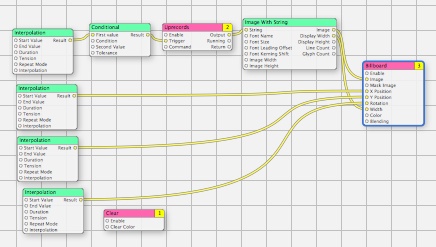
I am not all that big about screen savers, what with the fact they don’t save screens any more. On the other hand, it can be a good warning that the screen is about to turn off if you do not actually want it to. As such, a nice simple screen saver can still be useful. Blanking to black is fine, but why not make it a little nice? For a couple of years (at least), I have used a screen saver called ShowOff . The whole purpose is to keep track of your best uptime, and shows your current uptime. There are a lot problems with it, though: It has not been updated since January of 2006. It only records uptimes when the screen saver is running Editing the font requires hand-editing the plist file. It occasionally records a random value, thus making it useless. To handle the last problem, I have been keeping a copy of the preferences and using it to replace the wrong one. Sufficed to say, this is less than optimal. So I decided to go about and make my own. I do have a goal of learning Obje...